

Latest upgrade

ReChew now feels more native.

This ReChew update focuses on the details that make a daily knowledge tool feel effortless: a clearer content layer, a more adaptive UI layer, Siri-aware capture, stronger accessibility coverage, broader language support, and compatibility back to iOS 17.

  • Liquid Glass design refinements
  • Better UI interactions
  • Better system integration with App Intents and Shortcuts
  • More language support
  • iOS 17+ support

More content when you need it. Less chrome when you do not.

ReChew's interface is being refined around Apple's content layer and UI layer separation. Reading, reviewing, and digesting content now sit in a calmer foreground, while the surrounding controls become lighter, more translucent, and more Liquid Glass-like.

The UI layer can hide at the right moments, giving the content layer more breathing room without removing the actions users still need. Navigation is also smoother: instead of relying only on visible back and close buttons, ReChew adds an optimized left-edge back gesture across key screens, making the app feel more fluid during repeated review sessions.

Content-first UI layer steps back when reading needs space.
Gesture-native Left-edge navigation reduces reach and friction.

Shortcuts and Siri can understand ReChew now.

ReChew now exposes core actions through App Intents, so the system can understand what the app does and help users trigger it from Shortcuts and Siri.

Shortcuts first, then Siri.

The video first walks through ReChew actions inside Shortcuts, including flows such as opening Digest. These actions make it easier to connect ReChew with routines, automations, and everyday system workflows.

The second half shows Siri working with those App Intents: a user can ask Siri to save something directly into ReChew, turning a thought into a reviewable item without opening the app first.
Built so more people can finish the core ReChew flow.

Accessibility support is organized around real tasks instead of static screen checks: collect an item, review it later, read long content, understand progress, and complete feedback without hidden-only gestures.

VoiceOver

VoiceOver users can move through Collect fields, review queue items, detail summaries, memory curve descriptions, and feedback buttons with meaningful labels and ordering. Important state changes, such as a saved item or completed review, are announced instead of being shown only visually.

Larger Text

Long review text, Digest picks, and feedback actions adapt to larger type without clipping the content or pushing key actions out of reach.

Increase Contrast

Progress curves, status tags, card boundaries, and feedback controls become easier to distinguish when higher contrast is enabled.

Reduce Motion

Large spatial movement is reduced for navigation, detail transitions, tab changes, and feedback states, while the app still preserves clear confirmation that an action happened.

Voice Control

Visible actions can be activated by name, including review actions such as Got it and Later, plus Digest entry points for reading.

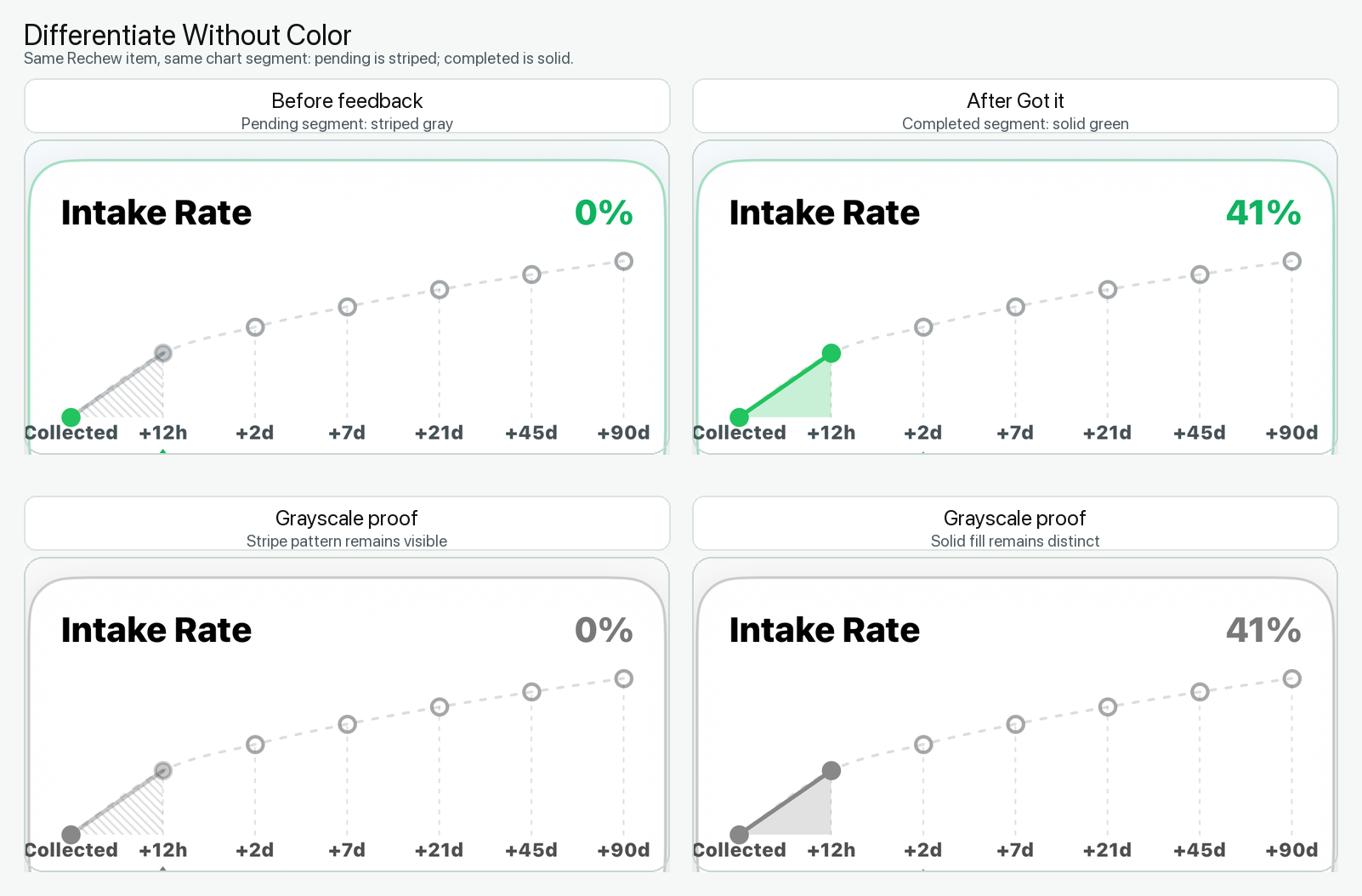
Differentiate Without Color

ReChew avoids relying on color alone. Status labels, chart legends, line styles, and action text help users understand review state even when color differences are not the primary signal.

Differentiate Without Color comparison showing striped pending state and solid completed state in color and grayscale

From two languages to nine.

ReChew is expanding from English and Chinese to nine supported app languages across the system. The update covers user-facing surfaces such as settings, notifications, digest copy, voice-related language choices, and core review flows.

English Chinese French Spanish German Italian Japanese Portuguese Arabic

Support expands from iOS 26 to iOS 17.

The upgrade broadens ReChew's compatibility target so more iPhone and iPad users can access the same collecting, reviewing, Digest, Siri, and accessibility improvements. Newer system capabilities remain available where supported, while older iOS versions receive practical fallbacks.

Less friction at capture. More room for memory.

The update makes ReChew feel more native, more accessible, and available to more users - while keeping the core promise simple: save less passively, remember more deliberately.